In my work as a web developer, web designer, and web marketer for over twenty years, I’ve worked with thousands of people who were starting from scratch to create their branding and web presence.
I’ve also worked with mompreneurs who already “HAVE” branding elements and a somewhat of a web presence and sometimes it turns out to be quite an adventure, because we find out in the process that someone else – often their former graphic designer or web designer has ownership of the brand.

I was recently reminded how frustrating it is to find out you don’t really own your business, and I’m going to guide you through what you need to make sure your brand is really yours!
Brand name:
I provided you with guidelines to select the right name for your brand, because it is important to do your research to avoid running into conflict with an existing brand of the same name (or too similar) in the same industry.
If the other company proves they used the name first, you will need to change your name, lose your branding and marketing, and a lot of time and money along the way.
Entity name:
I learned a lot about business law in the time I worked as a legal assistant, so back in 2005, to officially launch my web design company, I formed my corporation in Florida with $40. I saved $10 each month for 4 months to do this, then applied to be an S Corp and for an EIN for free on the IRS website.
You can search your the Secretary of State of website to make sure your business name is available, find an expert to help you choose the designation that is right for you. Once you have these items in place, you can open a bank account for your business, and start tracking the money you spend and the money you receive (you can do this using a simple spreadsheet or an accounting software for small businesses.
Logo:
If you haven’t had your logo designed yet, read my post about the 7 best practices you need to know before designing your logo.
If you do have it, do just have a JPEG picture, or do you also have a vector file ( AI – Adobe Illustrator source file or EPS -Encapsulated PostScript file), PSD, TIFF (Tagged Image File Format), GIF and PDF versions of the image?
Do you have different sizes and formats of your logo (such as 300 dpi/high-res for print and 72 dpi for web use), in both color and black and white? Full color CMYK? A favicon (“little logo” that appears in the top corner of the address bar in a web browser)?
If your head is spinning because you don’t know what most of this means, it’s okay! Just copy-paste and ask your logo designer for the files and put them in a safe folder when you get them back, so have them handy when you need them.
You may have to pay a little extra to get a quality logo that meets both print and web quality requirements and can be as big or small as needed without compromising the quality – but it’s worth it!
Domain Name:
If you registered your domain name yourself, just make sure you keep the access to the control panel handy (provider URL, Username, and Password), but if you outsourced this step of the process (for any of your domain names), you can go to Whois.net and verify who shows as the registrant, administrative, and technical contacts. Hint… it must be YOU.
She who controls the domain name controls the site.
Web Hosting:
If you didn’t set up your hosting account yourself, do you have the password to your C-Panel? Do you have your FTP details? Was hosting purchased under your name? Do you know when and how to renew your hosting service?
These questions are critical and if you don’t know the answer, make sure you get trusted help to find out.
Web Files:
Back when I started designing websites, we actually wrote HTML or used editors like Dreamweaver (which was part of Micromedia, then became an Adobe product).
You don’t want your site built on proprietary software, so make sure you ask what happens if you decide to “quit your web guy” or God forbid she gets hit by a truck. Could you move your website / blog? Do you get to keep your databases?
If your website is not on WordPress or another CMS (such as Drupal and Joomla), you will need actual web files on disk, but if you are on WordPress (which is what I prefer), you will need access to the WordPress dashboard.
You will need to be able to download a backup of your website whenever you wish to – for free. Many web hosts, like the one I use, offer you automatic backup of your website, which can save you many headaches in the unpredictable world of the web. If you are on WIX or Weebly, this will be pretty much impossible – and you are perceived as cheap.
Your web files include your buttons, images, and other assets. You want to make sure your design contract clearly states that you own the rights to everything on your website. If not, it would be like getting your car fixed and getting to keep the labor but not the parts.
Admin Access:
Some web developers will set you up with a “User” or “Author” account on WordPress that lets you do the bare minimum, and while some may claim it’s for your own good (because you could get in trouble touching what you’re not supposed to), I strongly suggest you insist on having an Admin account, so you can see what’s on your website if you choose to.
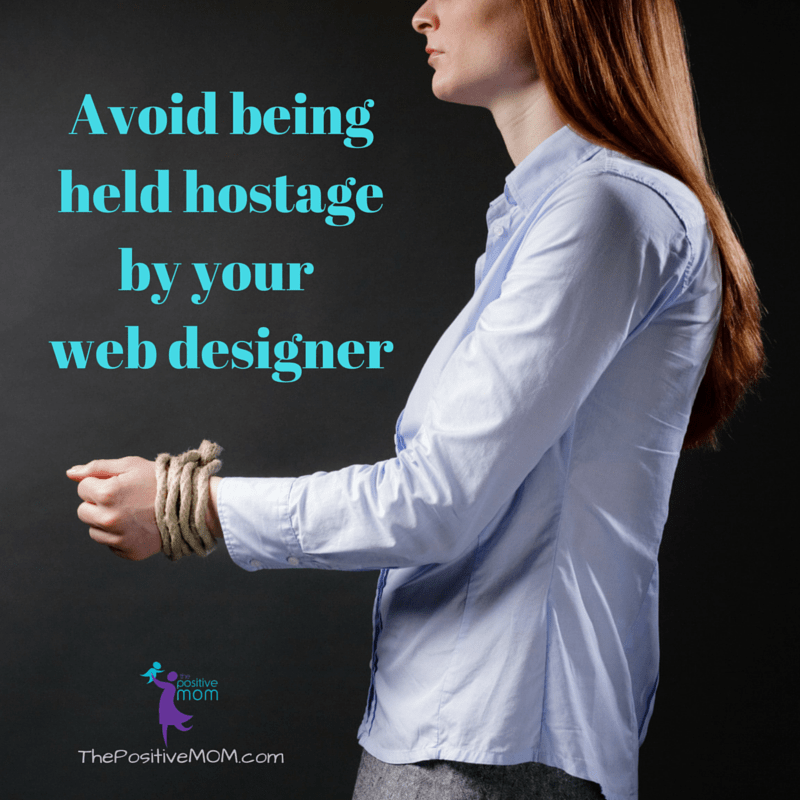
If you don’t actually own your domain name, your web hosting, and have access to your web files, your web designer could very easily hold you hostage.
Unfortunately, as someone who has been in the industry for so long, it pains me to say that while most web designers are reliable and honest, some will actually do this.
Stock Images:
I remember the days of MySpace when we used images hosted on Photobucket (giggle!). Nowadays, it’s really easy to host your images with WordPress, but you must make sure you own them. I gave you some pointers on how to use images on your blog, and you want to make sure your web designer follows the same rules.
Make sure your designer doesn’t use images unless you have taken them or purchased them. You want to have a license for any stock images and keep the original files, especially the high-resolution ones, so you can match your web presence branding with your printed collateral.
Any images used on your business card, trifold brochure, flyers, speaker sheet, or anything that promotes your business should be owned by you and easy to access for any new designs, to keep consistent on your branding and marketing.
Imagine your designer purchases a background for your website, and you want to create a Facebook cover, a LinkedIn background image, an e-mail signature, and a Twitter (X) background banner, but you don’t have access to the file. Trying to search for it or going with another image may hurt you.
Typography:
An usually overlooked and seemingly insignificant element, but that can make all the difference are fonts. You must know the name to the fonts used to produce your logo, your website, and any of your web images or collateral, have them saved as Zip files, and install them on your computer.
Choosing your font on Google Fonts or DaFont is a smart choice and will make things easier. You also want to know the web color codes and pantone codes so you can match your design exactly.
Phone Number:
Whether you are leasing office space or using a home office, if you are using a land line, make sure you have the right to port that number.
You can also use an 800 vanity line or Google Voice (a virtual phone number) to forward the number as needed.
Social Media Accounts:
It’s okay to outsource social media set up and management or to have an employee interact with your social contacts; however, you want to make sure you have written condition that your contacts and content are solely yours and that you have full access to the accounts.
Are you the admin of your Facebook Page or merely a content creator?
Do you have the passwords to your Instagram, Twitter, and LinkedIn accounts?
What if you have someone else making your YouTube videos?
Do you have a written policy stating what happens if your employee moves on or you decide to change social media management services?
Google these legal cases so you can educate yourself on social media content, access, contacts, and account name ownership, as well as any non-competition or non-solicitation clauses you’d like to establish beforehand:
- Eagle v. Morgan, 2013 WL 943350
- PhoneDog v. Kravitz, 2011 WL 5415612
- Ardis Health, LLC v. Nankivelli, 2011 WL 4965172
Trademarks:
It is not absolutely necessary for you to trademark everything in your business, but I do recommend talking to a trusted Intellectual Property lawyer (IP) and see what would be viable. There is a lot of information on the USPTO website.
Of course, the list goes on! If it sounds like you aren’t certain you own all of this, figure out who does and claim back your ownership.
If you do own all of it, job well done and stay aware to avoid the pain. The rule of thumb is to have everything ready for someone else to take over where your previous designer or VA left off. It’s your business, take charge and really own it!
I look forward to reading your comment and seeing what was most helpful about this post.
eMail List:
You can receive a lot of traffic from your social media accounts and amass a lot of followers, but the main idea should be to turn those connections into e-mail subscribers.
The first thing you need when you are working on building an email list is good email marketing software that will allow you to create a series of e-mails (campaigns), deliver a newsletter (broadcasts), and, ideally, offer free gifts (deals, discounts, downloads) to appreciate your subscribers’ trust.
Having an email list is essential to growing any business online because it is the number one way to keep consistent traffic and income flowing into your website. Your subscribers know, like, and trust you and are not affected by algorithms or social media account shutdowns (Remember Vine? How about Periscope?). As long as you follow the law and offer value, you’re good to go.
To own your e-mail marketing list, you first gotta have an email marketing strategy (nature and tone of the content you send, frequency, recipient profile, etc.), have every account under your name/business name, and make sure you are backing up your contact list often.
I encourage you to take charge and own your business so you can protect yourself and have peace of mind.
Which of these items do you already own in your business? Which one item will you work on next?
Being owned by someone else or held hostage by a webmaster, even when unintentionally, can be an absolute nightmare, and you don’t want to find out in the least convenient moment or when you least expect it. I’d love to hear your warning signs and tips to really own your business!
Founder of the Positive MOM® and creator of the S.T.O.R.Y. System: a blueprint to craft and share powerful stories that will transform your results and help others do the same. Dr. Elayna Fernández is a single mom of 4, an award-winning Storyteller, Story Strategist, and Student of Pain. She’s a bestselling author, internationally acclaimed keynote speaker, and 5x TEDx speaker. She has spoken at the United Nations, received the President’s Volunteer Lifetime Achievement Award, and was selected as one of the Top Impactful Leaders and a Woman of Influence by SUCCESS Magazine. Connect with Elayna at thepositivemom.com/ef and follow @thepositivemom. To receive a gift from Elayna, click HERE.
Want to support the Positive MOM blog?
The mission of the Positive MOM blog is to help moms break trauma cycles, find peace, and feel emotionally whole, so they can practice supportive parenting and create a positive and healthy environment for their children. If you found Elayna’s content valuable, please consider donating a love offering to enable her to keep creating content and helping more moms worldwide. Donate HERE.
jLynn Sherman
Friday 24th of April 2026
Thank you for the insight and guidance. Becoming a "brand" is head spinning and you are an amazing teacher and resource. Thank you for being generous with your time, helpful with the unknowns and valuable informant to avoid traps,pitfalls,setbacks and/or intellectual tragedy.
How To Shoot The Right Picture To Reflect Your Brand
Saturday 19th of December 2020
[…] with that in mind, you must own these pictures with no watermark required and that license (copyright) should extend to all platforms where you […]
Patty
Friday 16th of August 2019
Elayna: There is a lot of great information in this post. While I have a handle on much of it, I do need to work on my email list and starting to send out a weekly newsletter.
Elisha Fernandez
Friday 16th of August 2019
The only thing I think I don’t have is my trademark! It was enlightening to read and see how many things I already do have. It’s important to make sure you have all the components. Skipping any makes an incomplete business.
Elayna Fernandez ~ The Positive MOM
Friday 16th of August 2019
Yay! I think this would be a great goal for the next year!
Christine G
Thursday 15th of August 2019
There was a lot to take in with this post which makes me both excited about what is next for me to tackle next! I had no idea there were issues with domain ownership, it makes me sad to know how vulnerable we are as starter businesses.